UX Designer Resume Examples
Shaping a resume for a UX Designer position is like crafting a user interface—it's got to hook, intrigue, and guide. This article unveils the art of making your resume do a happy dance on the recruiter's desk. Dive in to learn how to spotlight your flair and finesse, ensuring your skills aren’t lost in the shuffle.
Must-Have Elements on a UX Designer Resume
- Contact Information: Your name, phone, email, and location.
- Summary: Quick snapshot of your professional background.
- Work Experience: Roles, achievements, and design impact.
- Skills: Key design tools and techniques you master.
- Education: Degrees and relevant design courses completed.
- Portfolio: Showcase of your best design projects.
- Certifications: Any UX-related credentials or qualifications.
- Languages: Additional languages you speak or understand.
For the portfolio, highlight key projects where user-centric design decisions demonstrably improved usability or engagement metrics. In your resume, quantify achievements by mentioning specific user feedback scores or reductions in user error rates post-design implementation.
Pro Tip: Crafting a UX Designer resume with the right skills and keywords is crucial because it helps you navigate the digital gatekeepers known as Applicant Tracking Systems, ensuring your application isn't lost in the shuffle.
Set Your UX Designer Resume Apart
When crafting a resume for a UX Designer role, focus on showcasing tangible outcomes by weaving metrics and specific results into your achievements—think "boosted user engagement by 30% through redesigned navigation" rather than vague statements. Highlight how your creative solutions directly influenced project success, whether it’s cutting down bounce rates or sky-rocketing app ratings, to paint a vivid picture of your impact.
Whitespace Balance: Ensure ample whitespace around text to prevent clutter. This helps the reader focus on key sections without feeling overwhelmed, making it easier to scan quickly.
Consistent Typography: Use a clear and legible font, maintaining consistency in size and style for headings, subheadings, and body text. This creates a harmonious flow and guides the reader's eye naturally through the document.
Visual Hierarchy: Employ bolding, italics, or color sparingly to highlight important information like job titles or key achievements. This establishes a hierarchy that draws attention to crucial details and aids quick comprehension.
Pro Tip: Tailoring your UX Designer resume for each application highlights your most relevant skills and experiences, aligning with what the specific company values and needs.
Example: Entry-Level UX Designer Resume
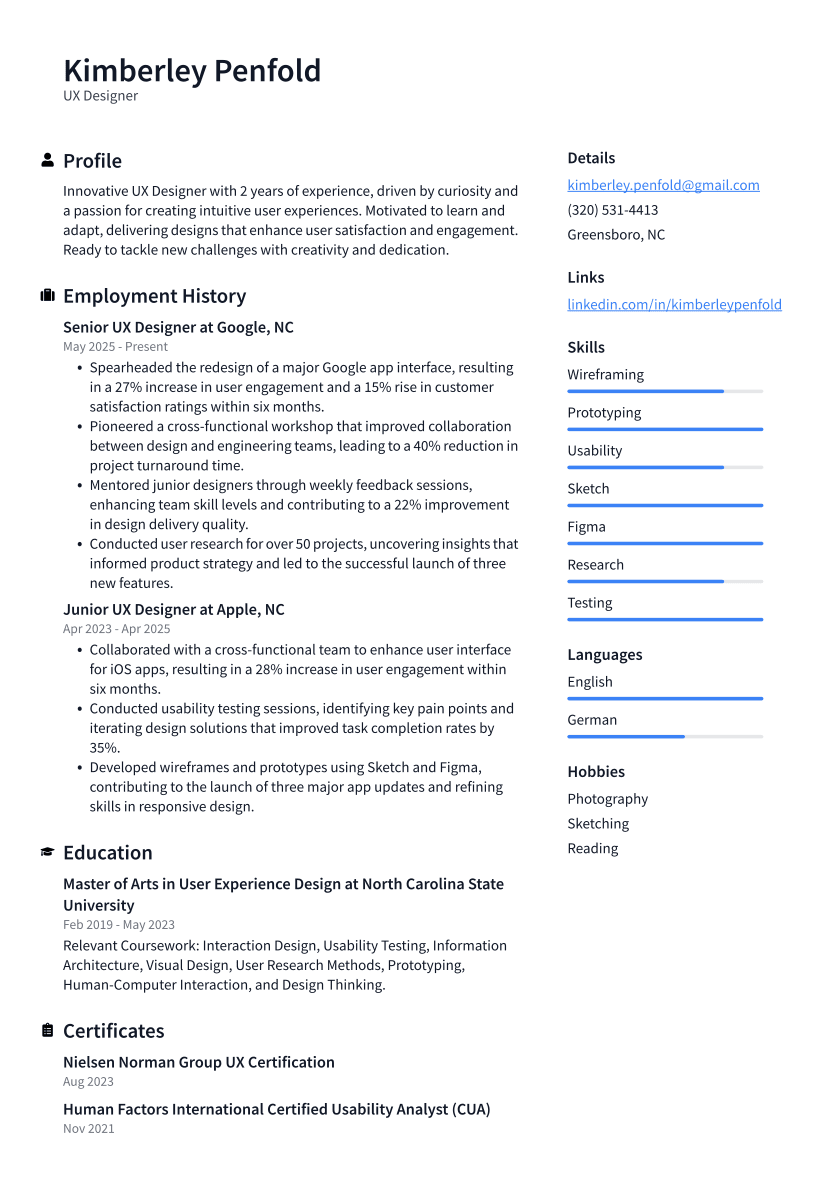
An entry-level UX Designer resume focuses on showcasing fundamental skills and learning experiences, while mid-level or senior resumes highlight advanced expertise, leadership roles, and substantial impact on projects.
Mid-Level UX Designer Resume Sample
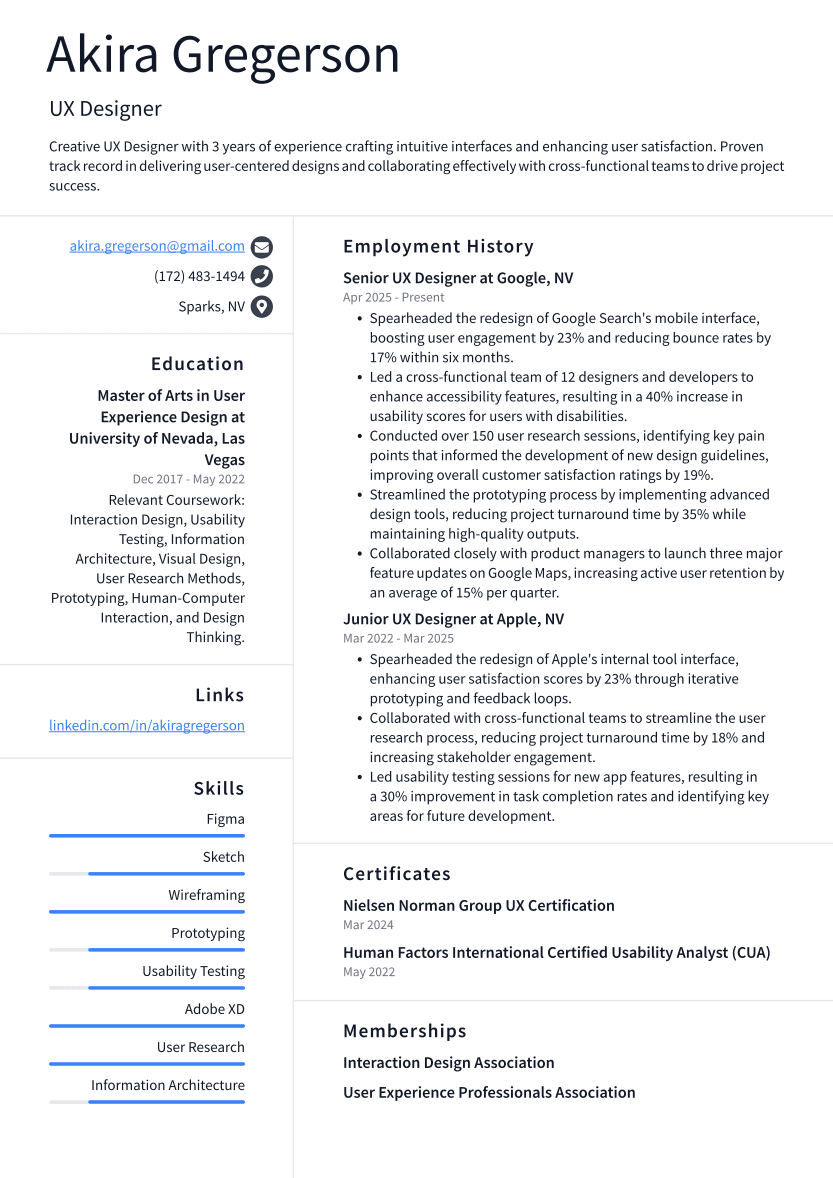
A mid-level UX Designer resume balances foundational skills with practical experience, avoiding the extensive leadership achievements expected in senior resumes or the basic learning potential of entry-level applications.
Senior UX Designer Resume Example
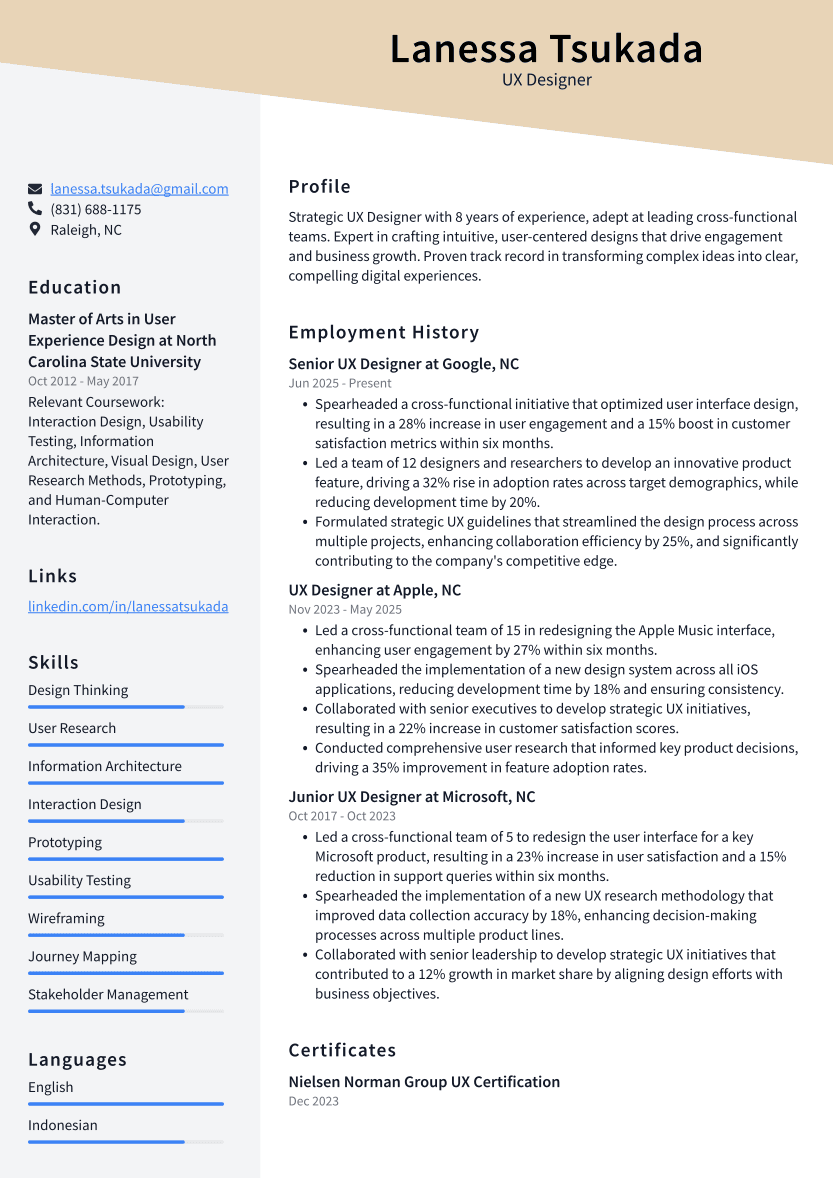
A senior-level UX Designer resume showcases a rich tapestry of diverse project experiences and leadership roles, highlighting strategic impact and innovation, whereas entry or mid-level resumes focus more on foundational skills and individual contributions.
UX Designer Resume Do’s, Don’ts, and Checklist
DO'S
- Highlight your key projects and their measurable impact.
- Focus on relevant skills tailored to the job description.
- Showcase a strong understanding of user-centered design principles.
DON'TS
- Don't overload your resume with jargon or technical lingo that could frustrate a hiring manager.
- Avoid listing every project you've ever worked on; focus instead on a few key examples with impactful results.
- Resist the urge to use generic language; clichés like "self-starter" won't make you memorable.
CHECKLIST
- Showcase specific projects and outcomes.
- Tailor your resume to the job description.
- Include quantifiable achievements.
- Highlight relevant technical skills.
- Keep the layout clean and easy to read.
- Use action verbs to convey impact.